Have you ever tried to upload a photo and seen a file size such as 850 KB or 4 MB? These numbers can be confusing when you are choosing images for a website, email or online form.
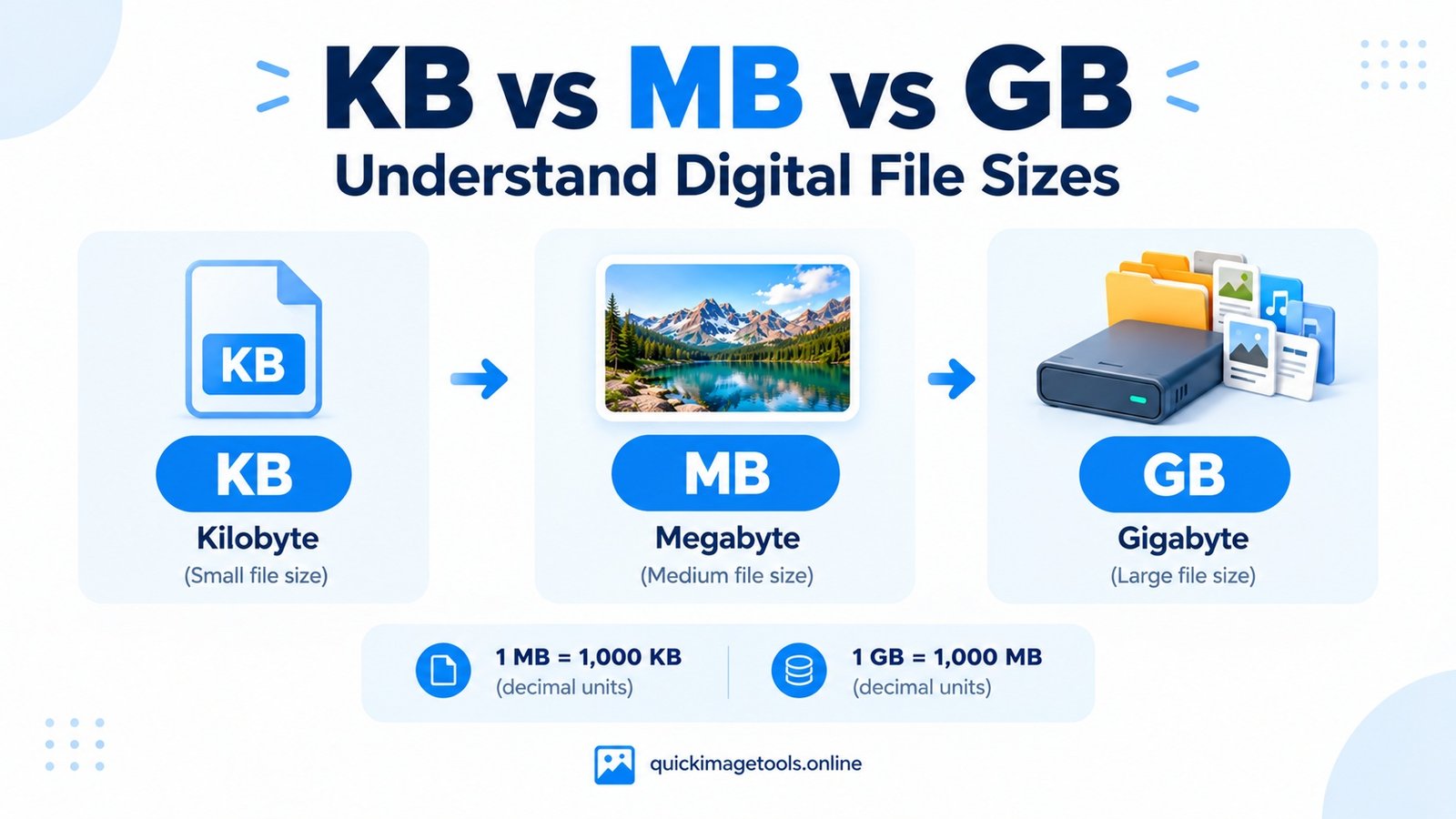
The difference between KB, MB and GB is simple once you understand how digital storage works. These units measure the amount of digital data in a file. They help you compare images, videos, documents and other files.
In this guide, you will learn what KB, MB and GB mean, how they compare, and why file sizes matter when you upload or edit images. You will also learn how to reduce an image’s file size without making it look unnecessarily blurry.
What Do KB, MB and GB Mean?
KB, MB and GB are units used to describe digital data.
- KB means kilobyte.
- MB means megabyte.
- GB means gigabyte.
Each unit represents a different amount of data. A kilobyte is smaller than a megabyte, while a megabyte is smaller than a gigabyte.
For example, a small icon might take up only a few KB. A high-resolution photograph may use several MB. A long video can take up hundreds of MB or several GB.
The exact size depends on the file’s contents, format, dimensions and compression. Therefore, two images with the same dimensions can still have different file sizes.
KB vs MB vs GB: Quick Comparison
Here is a simple comparison using the decimal system commonly used by storage manufacturers and many file-size displays.
| Unit | Equivalent in bytes | Approximate size |
|---|---|---|
| 1 KB | 1,000 bytes | Small text or image data |
| 1 MB | 1,000,000 bytes | A typical image or document may use this range |
| 1 GB | 1,000,000,000 bytes | Large collections of files or videos |
These examples describe common sizes, not fixed limits. A photograph can be smaller than 1 MB or much larger than 10 MB, depending on how it was created and saved.
For a quick calculation, try our File Size Converter. It helps you convert between common units without calculating each value manually.
What Is a Kilobyte (KB)?
A kilobyte is a small unit of digital data. It is often used to describe small files, lightweight images and short documents.
For example, a simple website icon may be only a few KB. A small compressed image might also fit within this range, depending on its dimensions and format.
However, file size alone does not tell you whether an image looks good. A tiny image may appear blurry if you enlarge it too much. A larger image may preserve more detail.
When does KB matter?
KB is especially useful when a website or form limits the maximum upload size. If an image must stay below a certain number of KB, you may need to resize or compress it.
Our Image Compressor can help reduce supported image files. After compression, compare the new file size with the original and check the image quality before using it.
What Is a Megabyte (MB)?
A megabyte is larger than a kilobyte. It is a common unit for photographs, downloadable documents, audio files and other everyday digital content.
For example, a phone photograph might be 2 MB, 4 MB or more. The result depends on the camera, resolution, format and compression settings.
MB is often the unit you see when uploading pictures to websites or attaching files to emails.
When does MB matter?
A large image can take longer to upload or download, especially on a slow connection. It may also exceed a website’s file-size limit.
Fortunately, you do not always need to sacrifice much visual quality to reduce the size. Start by checking the image dimensions. Then use suitable compression settings.
Read our guide on how to compress an image without losing too much quality for a practical explanation.
What Is a Gigabyte (GB)?
A gigabyte is much larger than a megabyte. It is commonly used to describe phone storage, computer storage, memory cards and large downloads.
For example, a device might have 128 GB of storage. A video collection or a folder containing thousands of photographs can use several GB.
GB is useful when you want to understand the total space occupied by many files. However, it is usually less convenient than KB or MB when checking the size of a single small image.
When does GB matter?
GB becomes important when you manage large folders, back up photographs or download software and media.
If your device is running out of storage, check which files use the most space. You may find that a few large videos or duplicated files take up more room than your images.
Remember that reducing one image by a few KB will not make a major difference to a drive with very little free space. In that situation, review your largest files first.
How Many KB Are in an MB? How Many MB Are in a GB?
The answer depends on the measurement system.
In the decimal system:
- 1 KB = 1,000 bytes.
- 1 MB = 1,000 KB.
- 1 GB = 1,000 MB.
In the binary system, computers also use units based on 1,024:
- 1 KiB = 1,024 bytes.
- 1 MiB = 1,024 KiB.
- 1 GiB = 1,024 MiB.
The binary units are properly written as KiB, MiB and GiB. Some software still displays KB, MB and GB when it uses binary calculations, which can cause confusion.
For everyday tasks, check which system your application uses before comparing exact values. Small differences are normal when two tools report file sizes differently.
Why Is My Image File Size So Large?
An image’s file size depends on more than its visible dimensions. Several factors can make one picture much larger than another.
1. Image dimensions
A picture measuring 4,000 × 3,000 pixels contains more pixels than one measuring 1,200 × 900 pixels. If other factors are similar, the larger image may need more storage.
If you only need a small image for a website, consider resizing it first. Use our Image Resizer to adjust the dimensions.
2. File format
JPG, PNG and WebP handle image data differently. As a result, the same picture may have a different file size when saved in each format.
JPG often works well for photographs. PNG can be useful for graphics that need transparency. WebP may offer a useful balance between file size and image quality.
Our guide to JPG vs PNG explains the differences. You can also read what WebP is and when to use it.
3. Compression settings
Compression changes how image data is stored. Depending on the format and settings, it can reduce the file size while preserving an acceptable appearance.
However, stronger lossy compression can introduce visible artifacts. Check the result rather than choosing the smallest number automatically.
4. Image content
A detailed photograph may require more data than a simple graphic with large areas of solid colour. Therefore, two files with the same dimensions and format can still differ in size.
How to Reduce an Image from MB to KB
Suppose you have a 4 MB image, but a website accepts files smaller than 1 MB. You need to reduce the file size while keeping the image clear enough for its intended use.
Follow this workflow:
- Open the Image Compressor.
- Select the image from your device.
- Adjust the compression settings if the tool provides them.
- Process the image and check its preview.
- Compare the original and compressed file sizes.
- Download the result if the quality is acceptable.
If compression alone does not reduce the file enough, resize the image as well. Smaller dimensions often help because the file contains fewer pixels.
For a complete walkthrough, see how to resize an image without losing too much quality.
Do not keep lowering the quality without checking the preview. A file that meets the upload limit may still look poor if the compression is too strong.
Which File Size Is Best for a Website Image?
There is no single file size that works for every website image. The best target depends on the image’s purpose, dimensions, display size and quality requirements.
Use these examples as a starting point:
- Small icons: Keep them lightweight while preserving sharp edges.
- Blog thumbnails: Use dimensions that match the layout and compress the image sensibly.
- Large photographs: Resize them to the required display dimensions before adjusting compression.
- Transparent graphics: Use a format that supports transparency, such as PNG or WebP where supported.
- Full-width banners: Balance image clarity with loading performance.
Avoid uploading a huge original photograph when the page displays it as a small thumbnail. On the other hand, do not shrink an image so much that it looks blurry on the page.
If you need to change the format, use our WebP Converter, JPG to PNG Converter or PNG to JPG Converter.
Common File Size Mistakes to Avoid
A few simple mistakes can make file management harder than it needs to be.
Confusing file size with image dimensions
File size is measured in KB or MB. Image dimensions are measured in pixels. A 2 MB image does not automatically have a particular width or height.
Choosing the smallest file every time
A smaller file is not always better. If compression damages important details, the image may no longer suit your needs.
Changing the format without checking the result
Converting PNG to JPG can remove transparency. Some conversions can also change the file size in unexpected ways. Always check the output before replacing your original.
Ignoring the upload limit
Some websites restrict file size, dimensions or supported formats. Check their requirements before editing the image.
Forgetting to keep an original copy
Save the original if you may need to edit the image again. This is especially useful when you apply lossy compression.
Frequently Asked Questions
Is KB bigger than MB?
No. A megabyte is larger than a kilobyte. In the decimal system, 1 MB equals 1,000 KB.
Is MB bigger than GB?
No. A gigabyte is larger than a megabyte. In the decimal system, 1 GB equals 1,000 MB.
Why does my phone show a different file size from my computer?
The devices or applications may use different measurement systems or display rounding. They may also report the file size differently from the storage space it occupies.
Does converting an image from MB to KB reduce its quality?
Changing the unit does not change the image. However, if you reduce the actual file size through lossy compression or resizing, the image may lose some detail.
How can I check an image’s file size?
On most computers, right-click the file and open its properties or information panel. On a phone, open the image’s details or information view if available.
What should I use to convert KB to MB?
Use our File Size Converter to calculate values between bytes, KB, MB, GB and other supported units.
Final Thoughts
KB, MB and GB all measure digital data, but they represent different amounts. KB is useful for smaller files, MB is common for individual photographs, and GB is often used for larger files or collections.
When you work with images, do not focus on file size alone. Check the dimensions, format and visual quality as well. That way, you can meet upload limits without making your images look worse than necessary.
If you want to start with a practical task, try our Image Compressor or Image Resizer. You can also explore the full collection of free online image and file tools.